An advanced optimisation technique for packing data into texture channels that allows you to represent all of the texture data needed for a material in just two texture samples. Using this method saves both texture memory and performance, but since you're packing non-normal data in with the normal map, you do lose a little bit of quality in the normal. It also requires doing some extra steps in the shader to unpack the normal data.
Basic 5-Map setup:
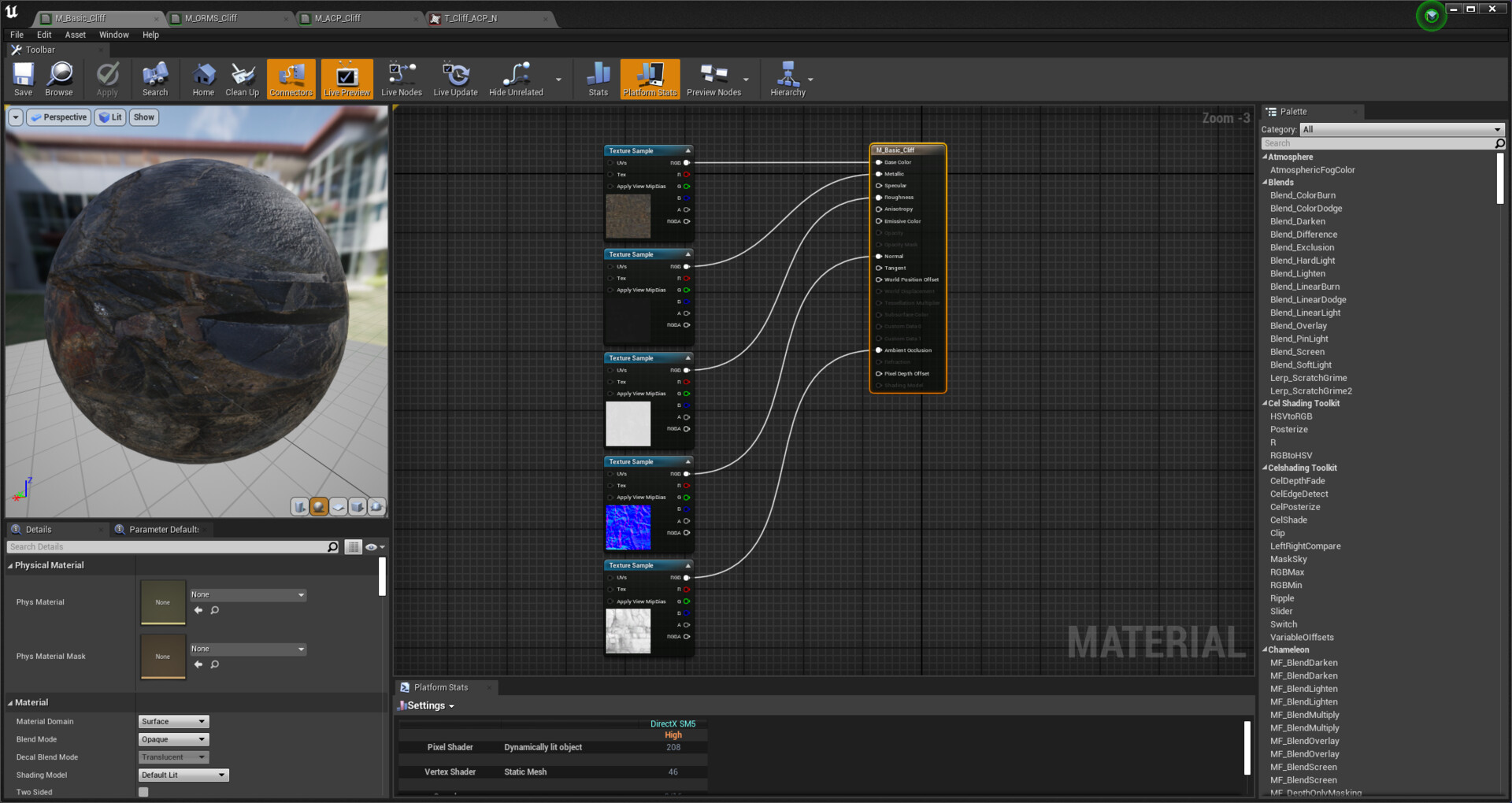
1. Albedo / Diffuse
2. Metalic
3. Roughness
4. Normal
5. Ambient Occlusion
ORMS 3-Map set-up:

Does exactly the same as the 5-Map material but in 3 texture maps.
1. Albedo / Diffuse
2. Metal, Roughness and AO
3. Normal
Advanced Channel Packing 2-Map set-up:

Does almost exactly the same as the 3-Map material but in 2!
1. Albedo / Diffuse + Roughness in the Alpha Channel
2. Red and Green Channel for Normal, Blue for AO
