Gaea is a fantastic terrain design application for VFX, Games and Virtual Production
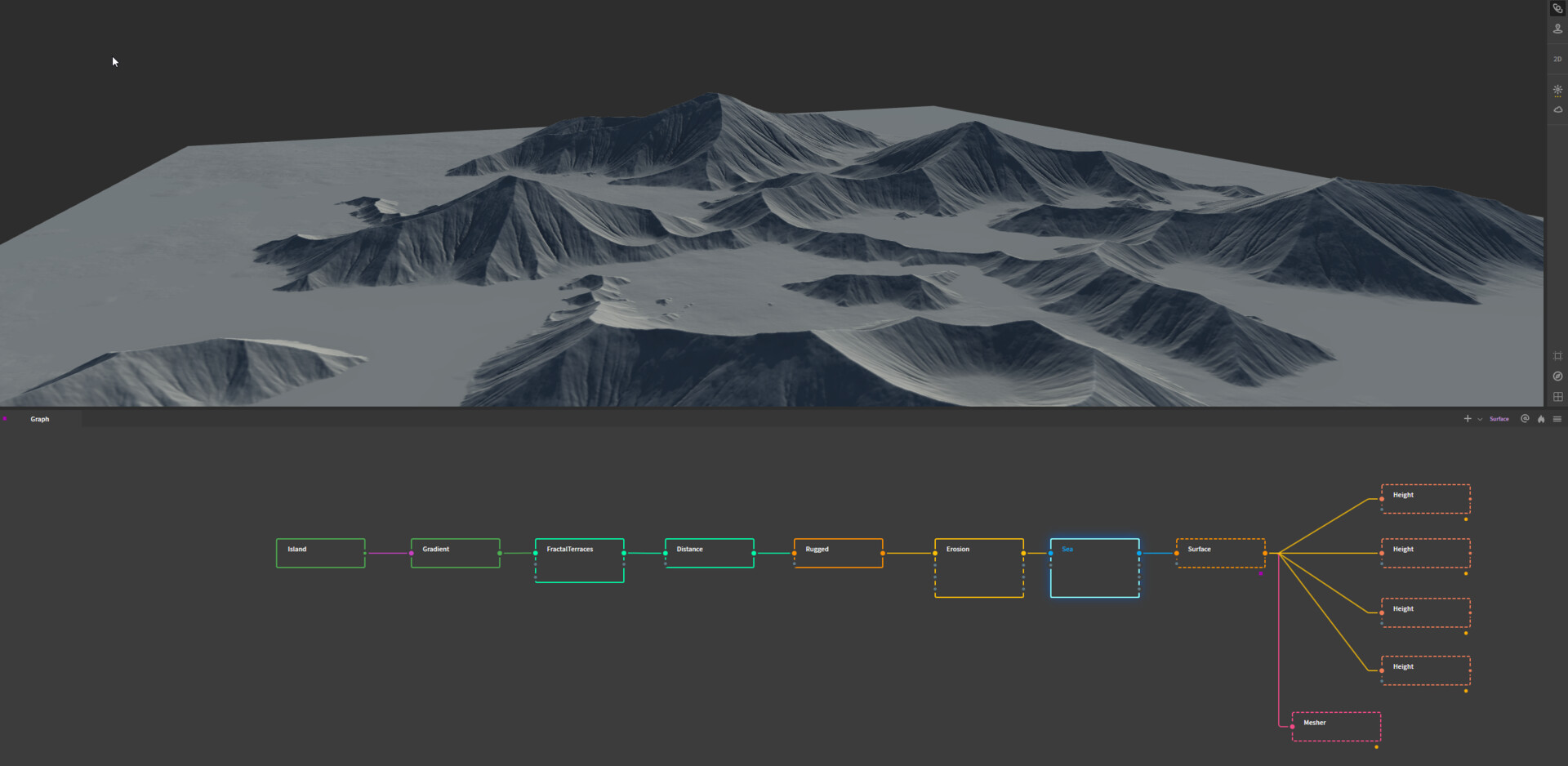
This is my basic node setup for most projects. It exports a mesh and several height maps used for layering landscape materials and foliage assets.
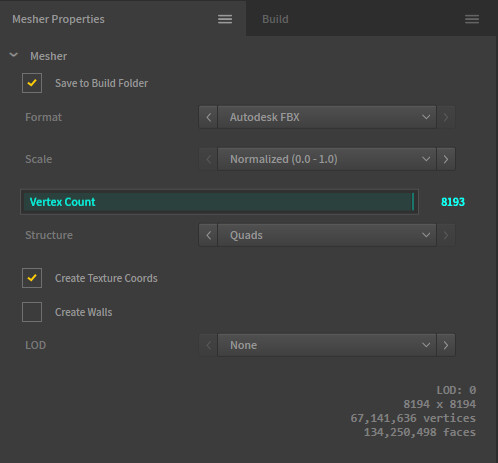
Mesher settings for vertex count and FBX output

Even if my scene has a water surface, I'll render it without and create one in unreal. This gives me a little more flexibility and can edit in real time.

Height maps are useful for layering landscape textures, variations and procedural placement of environmental assets.

The build settings are usually the same depending on texture output and resolution size.
Working at No Ghost has encouraged me to include a few new tools into my workflow. Making landscapes outside of the unreal editor is one of them. Gaea, by QuadSpinner is the industry's leading terrain design app for VFX, Games and Virtual Production. It's pretty awesome and powered by over 150 node-based controls which makes it very easy to use and fast to see changes in real time. It has a huge selection of premade starter environments, which you can edit and build upon. Export it out as a mesh and import it into a game engine for quick and beautiful results. It's also PBR friendly and can export all the traditional Albedo, Normal, Displacement, Reflective and Occlusion, but can also be used to create more intricate masks such as splat maps, curvature, sunlight, terrain and water flow areas.
PS. The Cartography node really is cool and I'd love to make a series of maps one day with it.


